
 Kendoshi
On the move, today is what counts.
The same data from your iCloud, an interface of its own:
cards instead of tables, swipes instead of hover,
the day instead of the project structure.
The big board stays on the Mac.
Real interface with fictional sample data · Shown in English, switchable in the app
Cards you can swipe.
Swipe right to complete, swipe left to put the task on today or into the archive. Tap to open details with steps and notes. The plus at the bottom opens quick entry, with the same syntax as on the Mac.
Five destinations sit along the bottom: Inbox, My Work, New task, Calendar and Projects. Notifications remind you 30 minutes before tasks with a time.
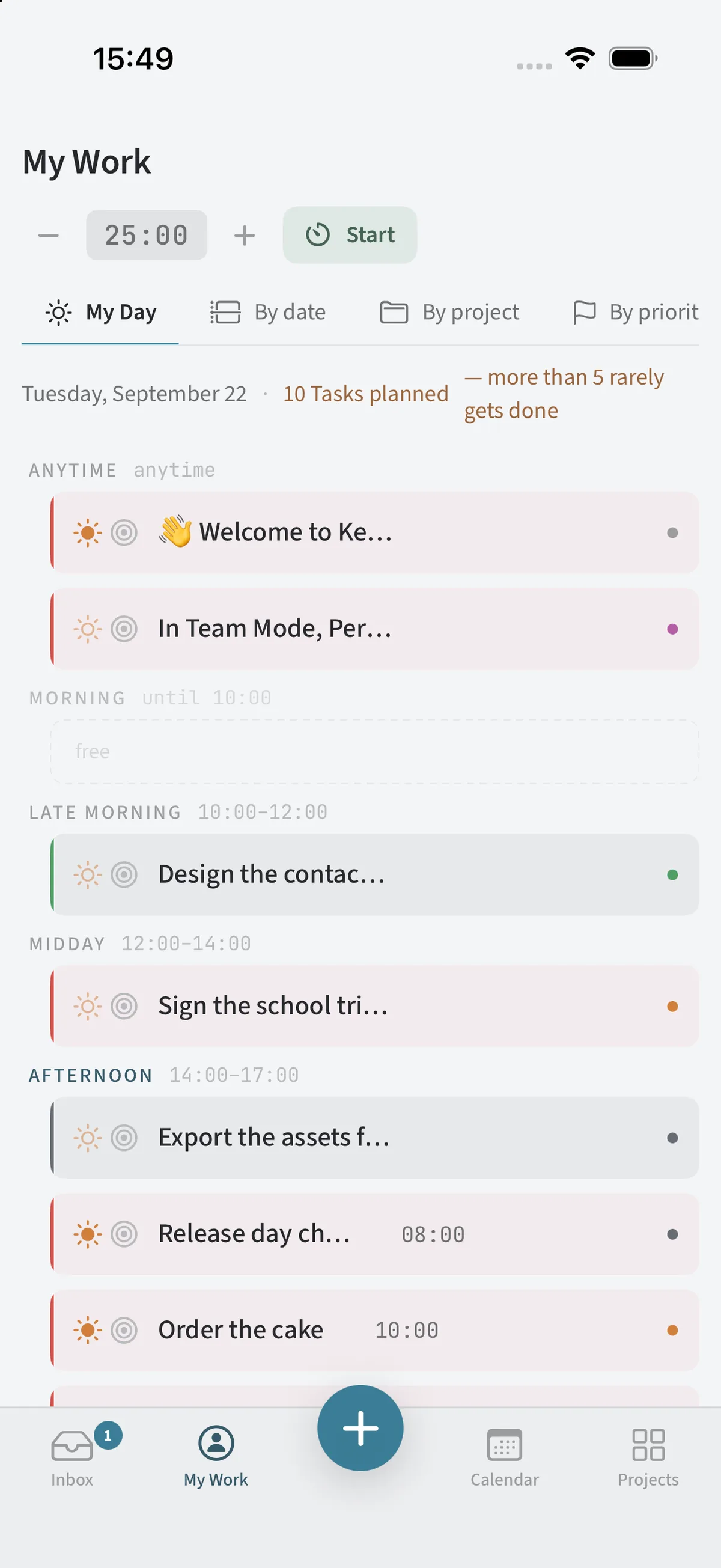
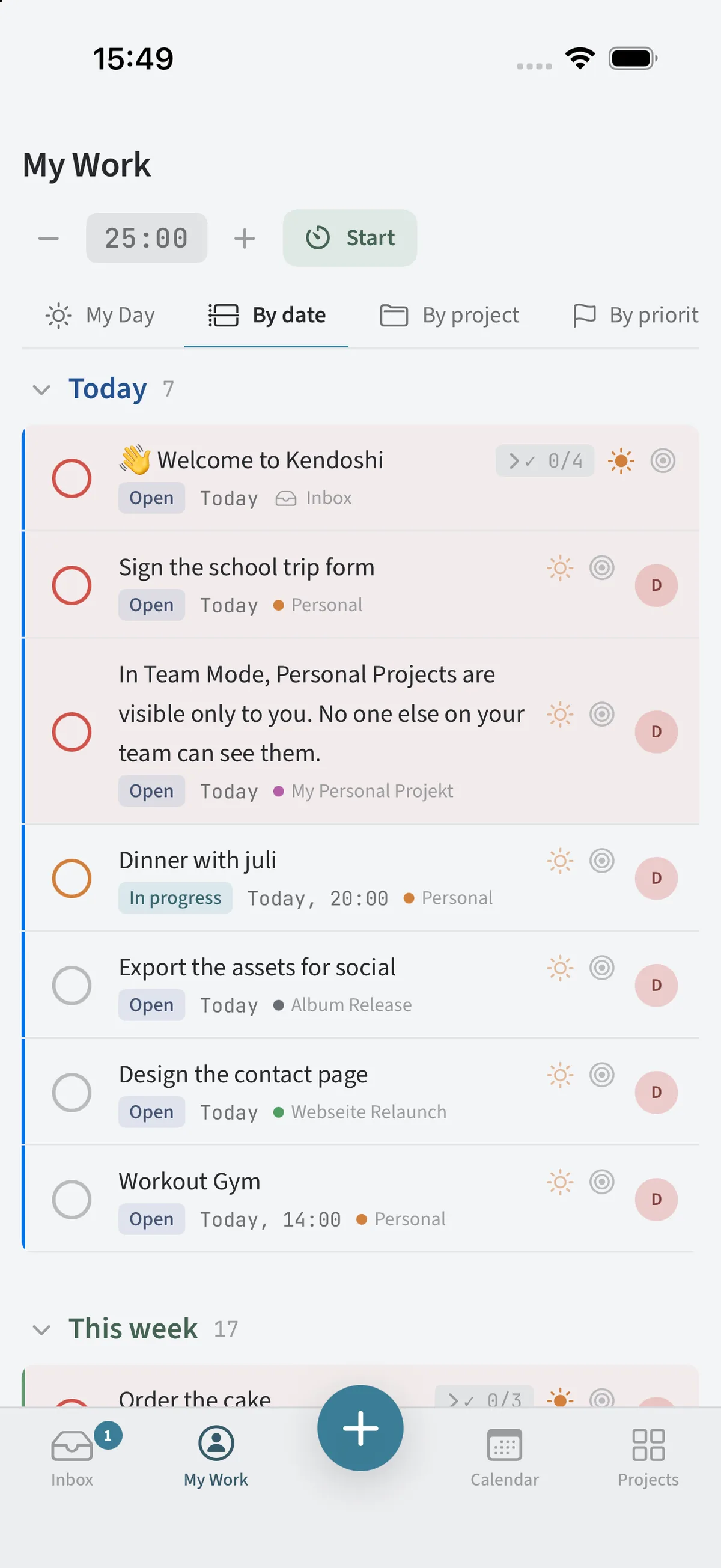
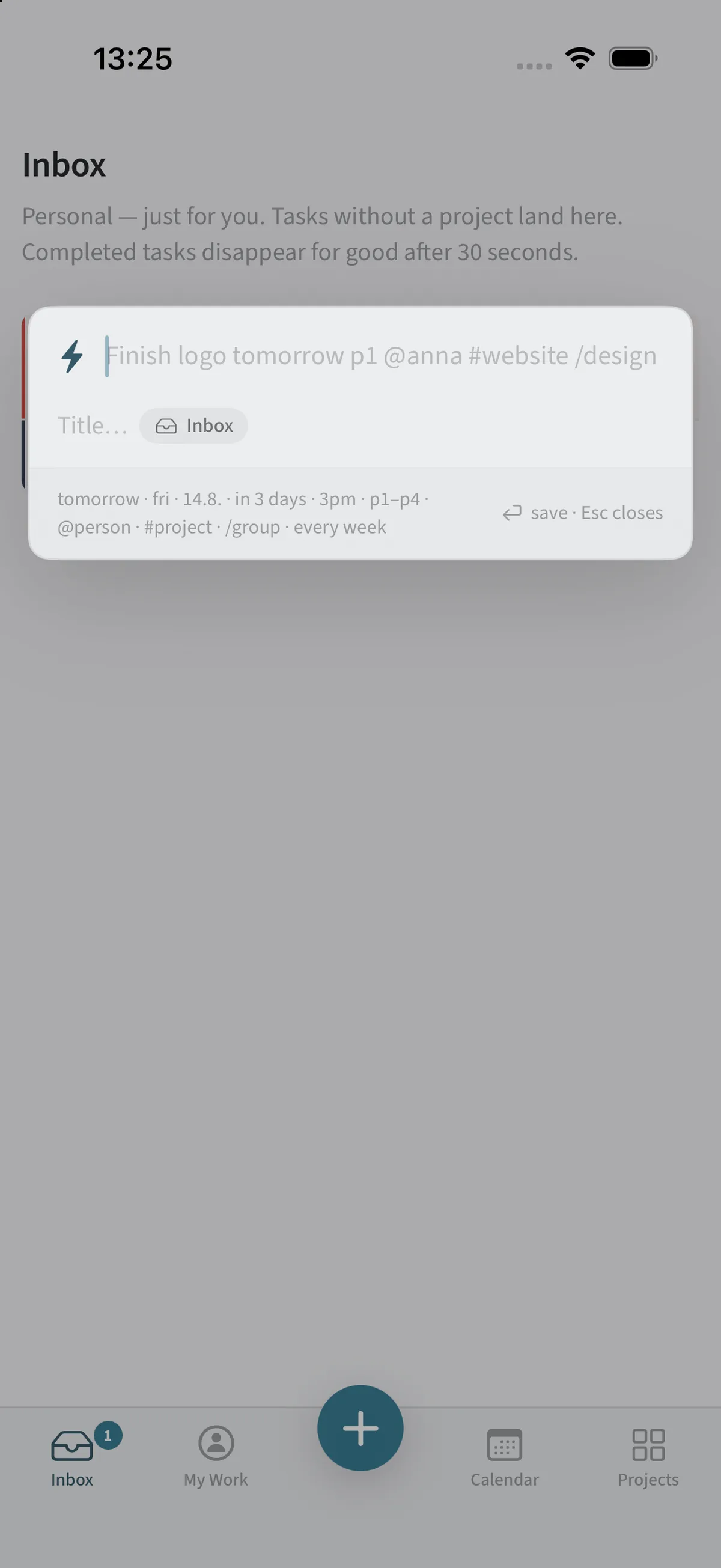
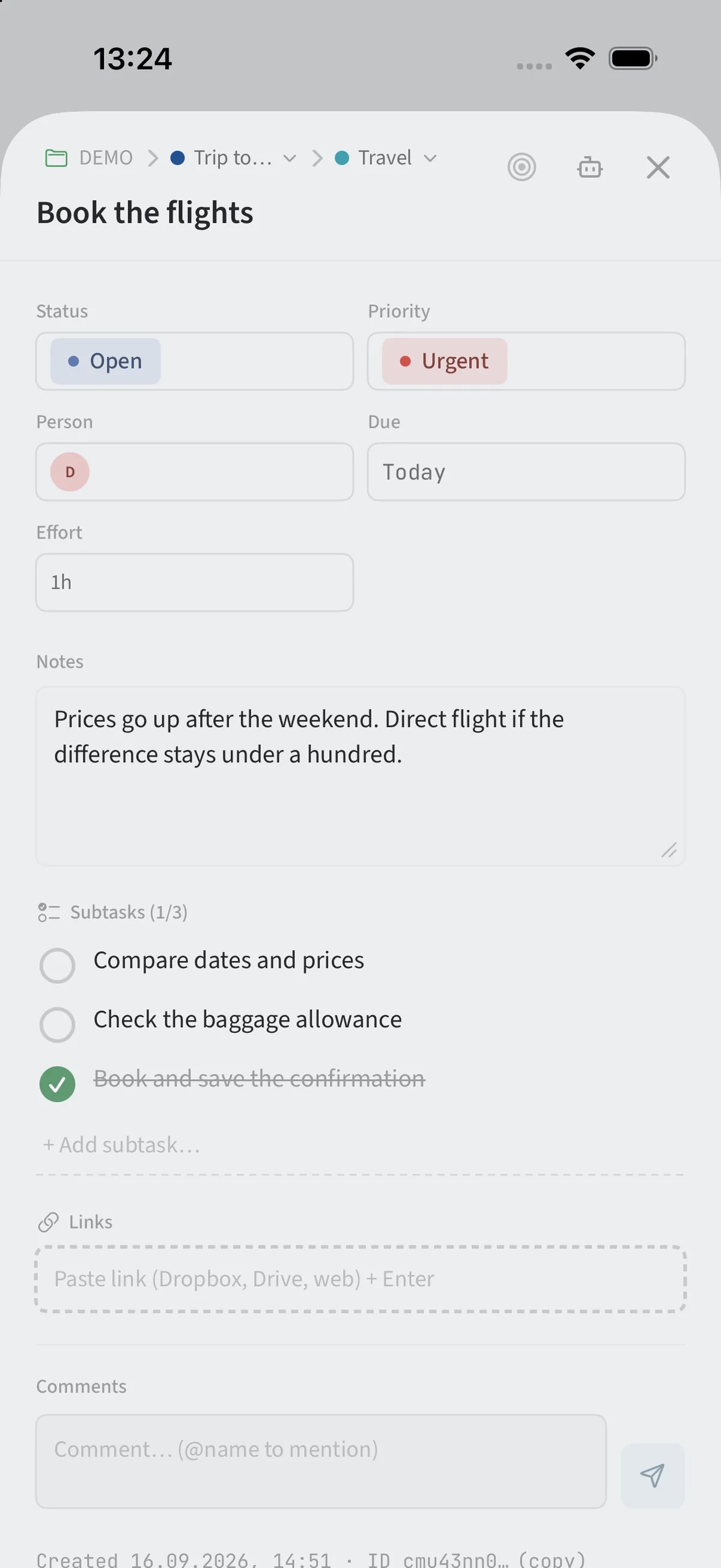
Tap targets at least 44 points · no hover interaction · cards show status, due date and project
The sidebar and the content sit side by side: projects on the left, board or calendar on the right – in portrait as well as landscape. My Day shows day blocks and suggestions at the same time, closer to the Mac than to the iPhone.
Focus mode is here too.
More room, more overview.
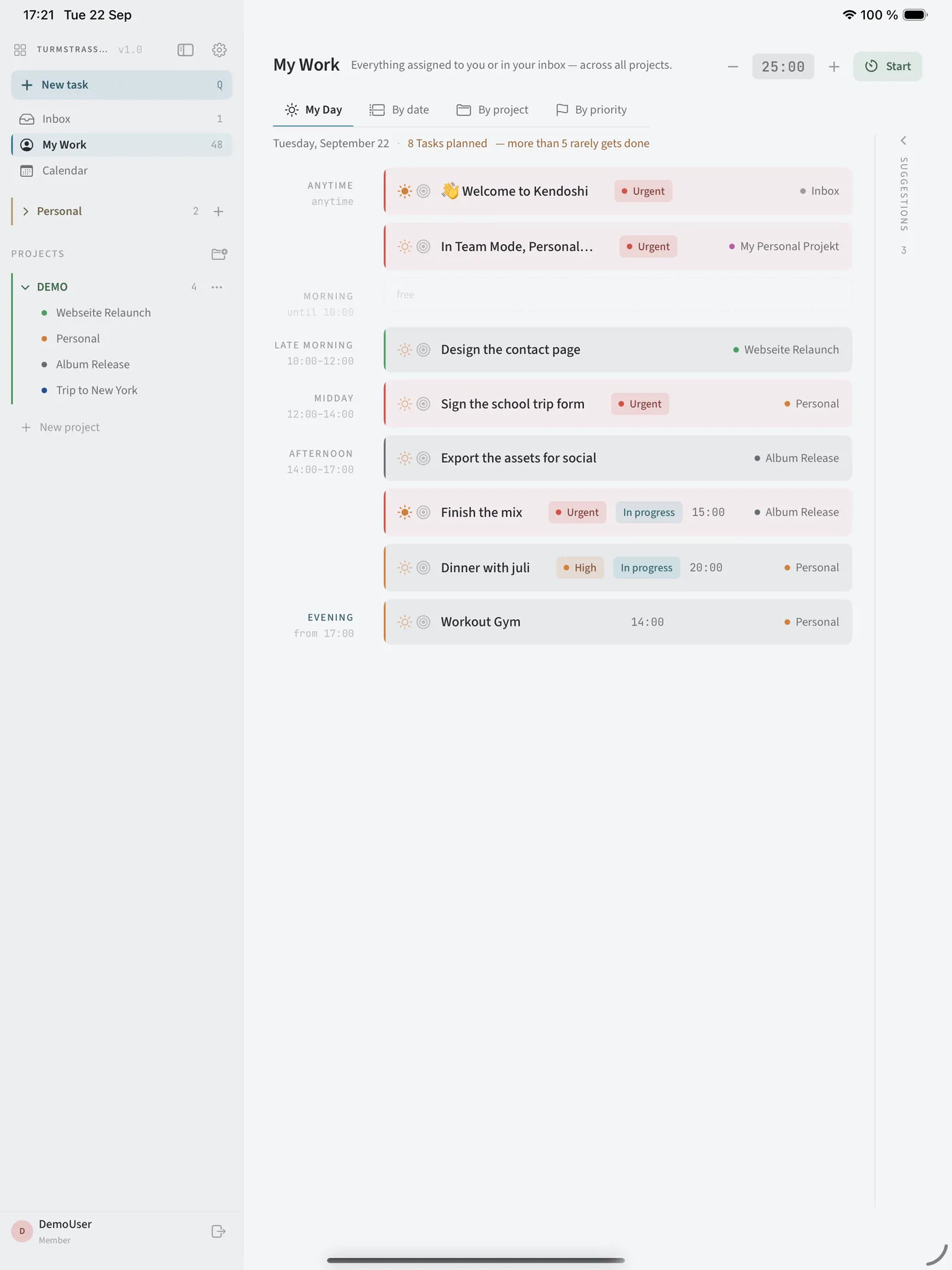
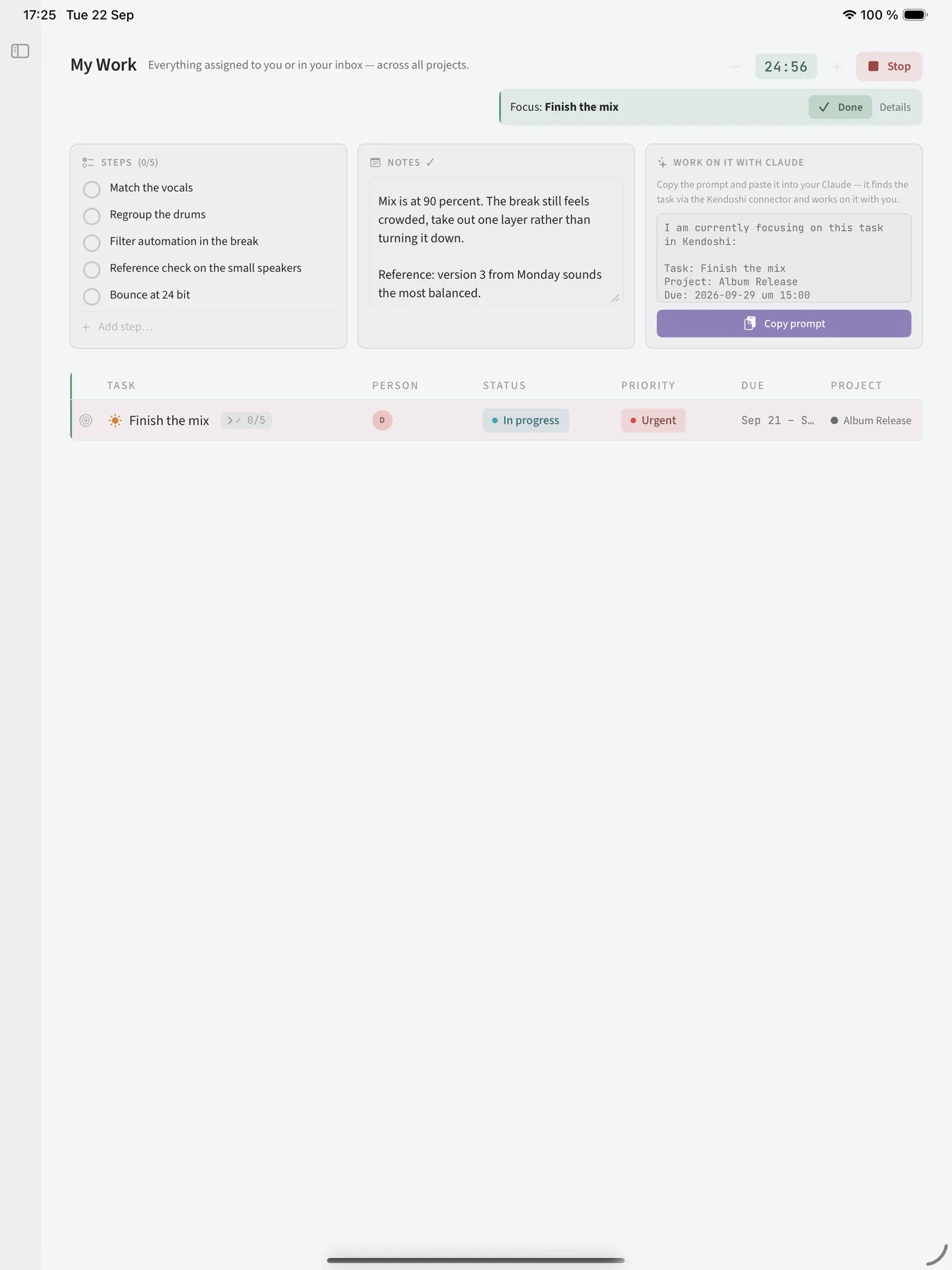
Each device has one job.
The roles are divided on purpose. What is missing on the iPhone isn't missing for lack of time.
| Device | Role | What happens there |
|---|---|---|
| iPhone | The gate | In it goes, without a decision. And straight to what is due today. |
| iPad | The desk on the move | Writing, structuring, reading boards, working with focus. |
| Mac | The workplace | Sorting, linking, building columns, maintaining. |
| Your AI client | The shortcut | The tidying up, without you doing it – locally on the Mac. |
Honestly: not everything.
Kendoshi grew up on the Mac. On the iPhone the day is at the centre, not project administration. These things stay on the big screen.
Custom columns
Adding extra columns and dragging widths belongs to the Mac. The values are visible on mobile.
Timeline
The bar view across weeks needs width – it stays in the Mac view.
Floating entry
The panel on a keyboard shortcut from any app is a Mac feature. On mobile the plus leads to quick entry.
Mail as a task
Dragging a message into the app works where Apple Mail and a mouse exist.
AI access
The local access point for your own AI client runs on the Mac, in solo mode, off by default.
One state across all devices.
Checked on the iPhone means checked on the Mac. CloudKit syncs as soon as a device is online, without an account with the developer.